Table of contents
Table of contents
- What is Kaseya?
- Who Kaseya is best for
- Is Kaseya worth it for your organization?
Generate summary with AI

If you’ve searched for Kaseya reviews, you’ve probably found very mixed opinions. While others love Kaseya’s broad offerings, others dislike the half-baked features, slow support, and long contracts.
The mixed opinions make it difficult to understand if Kaseya is actually a good option (or not) for your IT department.
In this article, we’ve done the heavy lifting and written a detailed review of Kaseya. We looked at hundreds of user reviews, listed the key features and pricing, and compared Kaseya to key competitors, such as Atera.
What is Kaseya?
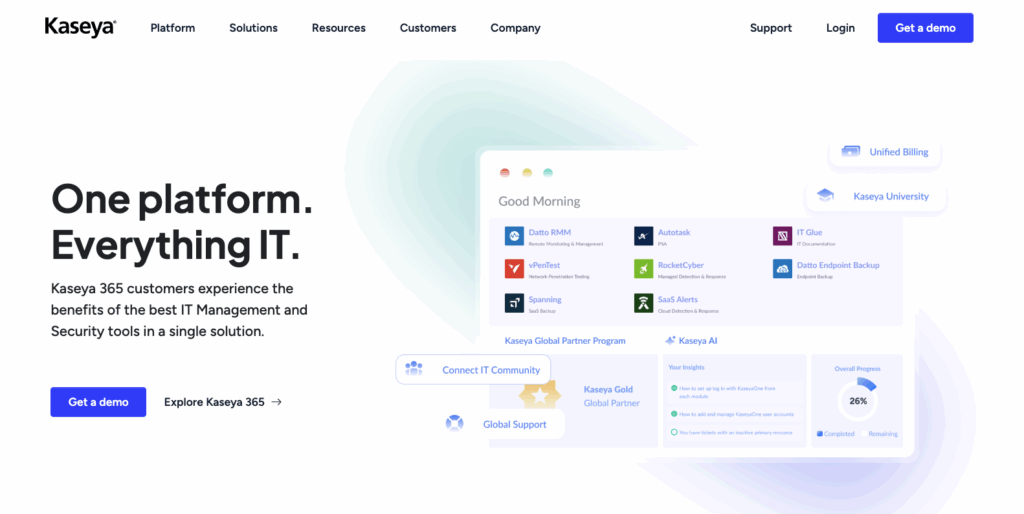
Kaseya’s core purpose is to provide IT management solutions for MSPs and IT departments through a variety of products.
In recent years, it has focused on its Kaseya 365 subscriptions. It designed Kaseya 365 Endpoint for endpoint management, security, and backup, and Kaseya 365 Ops for PSA and IT documentation.
#1: Key features of Kaseya
Let’s start by having a look at Kaseya’s core capabilities:
Endpoint management
Kaseya is mainly known for its endpoint management tool, which allows you to monitor and manage your network devices remotely.
You can use it to:
- Remotely monitor and manage workstations, servers, and other network devices
- Deploy patches for Windows, macOS, and Linux devices
- Gain visibility into your IT assets and their entire lifecycle
- Prevent ransomware from affecting your systems
- Automatically back up your devices
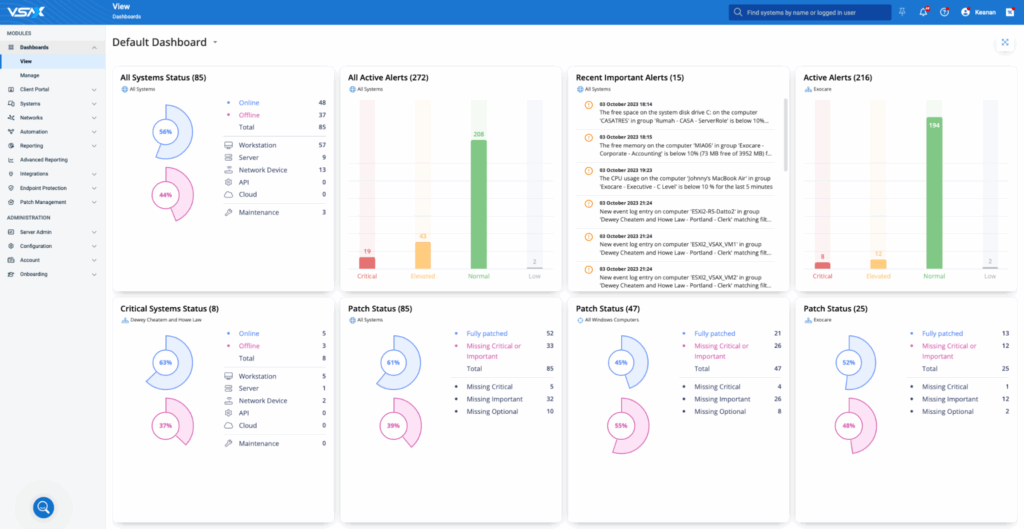
Kaseya VSA dashboard (via G2)
Kaseya covers the key features you’d expect from a baseline RMM software. More recently, it has also started adding AI. Cooper Copilot and Kaseya Intelligence are now available, helping users automate tasks like ticket triaging and categorization.
Unlike Kaseya’s AI, Robin by Atera (one of Atera’s AI agents) resolves Tier-1 and complex Tier-2 technical incidents end to end, without a technician in the loop. These include tasks like restarting services, clearing disk space, or applying patches.
This means your technicians can move from manual and repetitive tasks into strategic ones that actually move the needle.
IT documentation
IT documentation is part of Kaseya’s IT Glue product. It helps to document everything in your IT environment, whether it’s network configurations, software licenses, hardware details, passwords, or knowledge base articles.
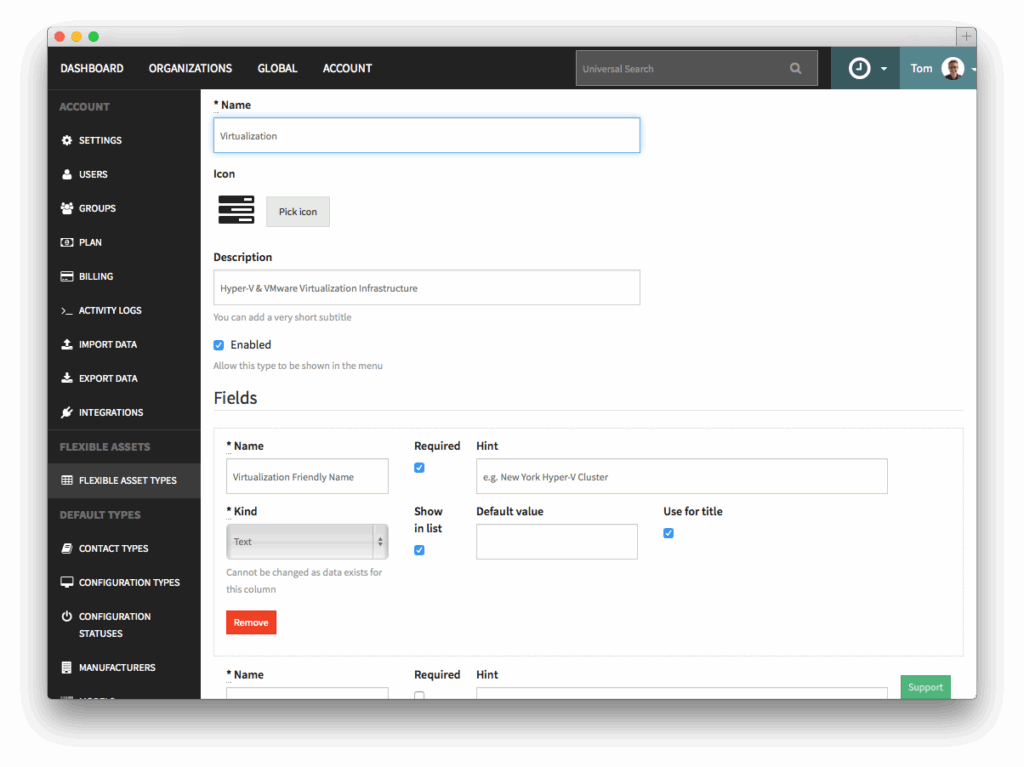
IT Glue dashboard (via G2)
IT Glue is sold separately or as part of Kaseya 365 Ops. In contrast, Atera includes IT documentation as part of its base plans for all users.
PSA
Kaseya’s PSA features are spread across its different products, such as Kaseya BMS, Datto Autotask PSA (owned by Kaseya), and the Kaseya 365 Ops.
The PSA offerings include:
- Ticketing system for handling service requests, incidents, and problems
- Customer portal through integration with IT Glue, where end users can solve issues with knowledge base articles
- Billing for tracking time, creating different types of invoices, and managing contracts
- Integration with VSA for fixing device issues
These are essentially the features you’d expect from any of the best PSA software.
Autotask now also includes an AI ticket triage feature, which we’ll cover in the Agentic AI section below.
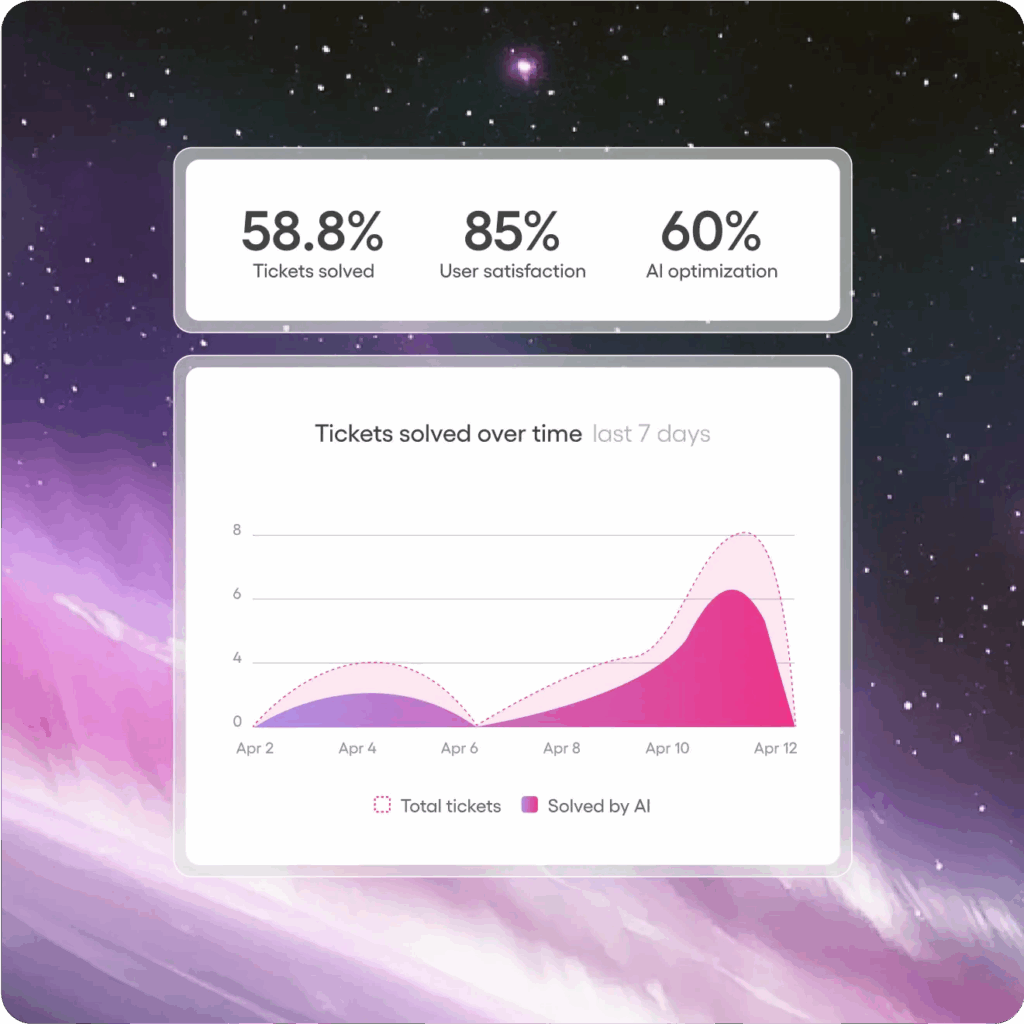
With Atera’s PSA, you get access to all the same core PSA features. Reports are also a key part of our PSA and our platform as a whole.
You can access reports to measure customer profitability, technical performance, load analysis, patch compliance, device health, ticket resolution times, SLA adherence, and much more.
You can also create reports to track the performance of our AI agents. This helps you to see where they’re useful and where improvements are needed.
Third-party integrations
For more functionality, Kaseya integrates with third-party products in categories like backup and recovery, CRM, email security, and accounting.
A few of the integrations include Datto, Webroot, Xero, ESET, Cisco, Bitdefender, Acronis, and more.
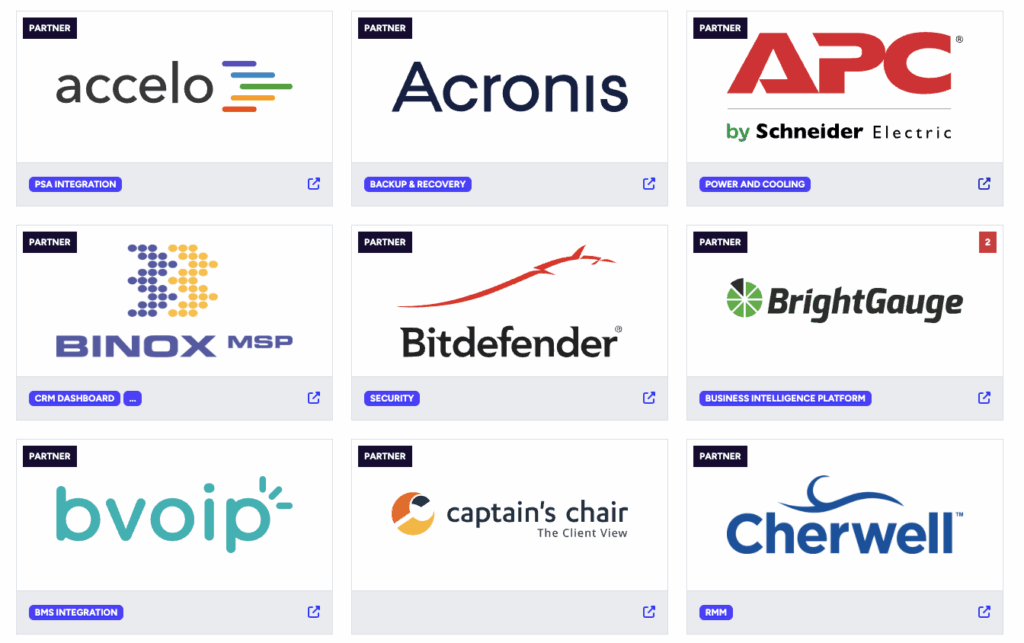
Kaseya’s integrations are broad, although some users say the ticket integrations have trouble connecting at times.
At Atera, we also offer key integrations in categories, such as:
- Security: Cynet, Bitdefender, ThreatDown, Webroot, Emsisoft, and more
- Remote access: AnyDesk, TeamViewer, ScreenConnect, Splashtop
- Identity providers: Microsoft Entra ID, Okta, Google
- Collaboration: Zapier, Teams
- Backup: Acronis, Axcient
Atera also has Robin, which layers into your existing stack, from ticketing systems to identity providers and productivity platforms.
This means Robin’s autonomous resolution works on the platforms where your IT already liv
#2: Agentic AI technology
Both Atera and Kaseya have recently updated their AI technologies.
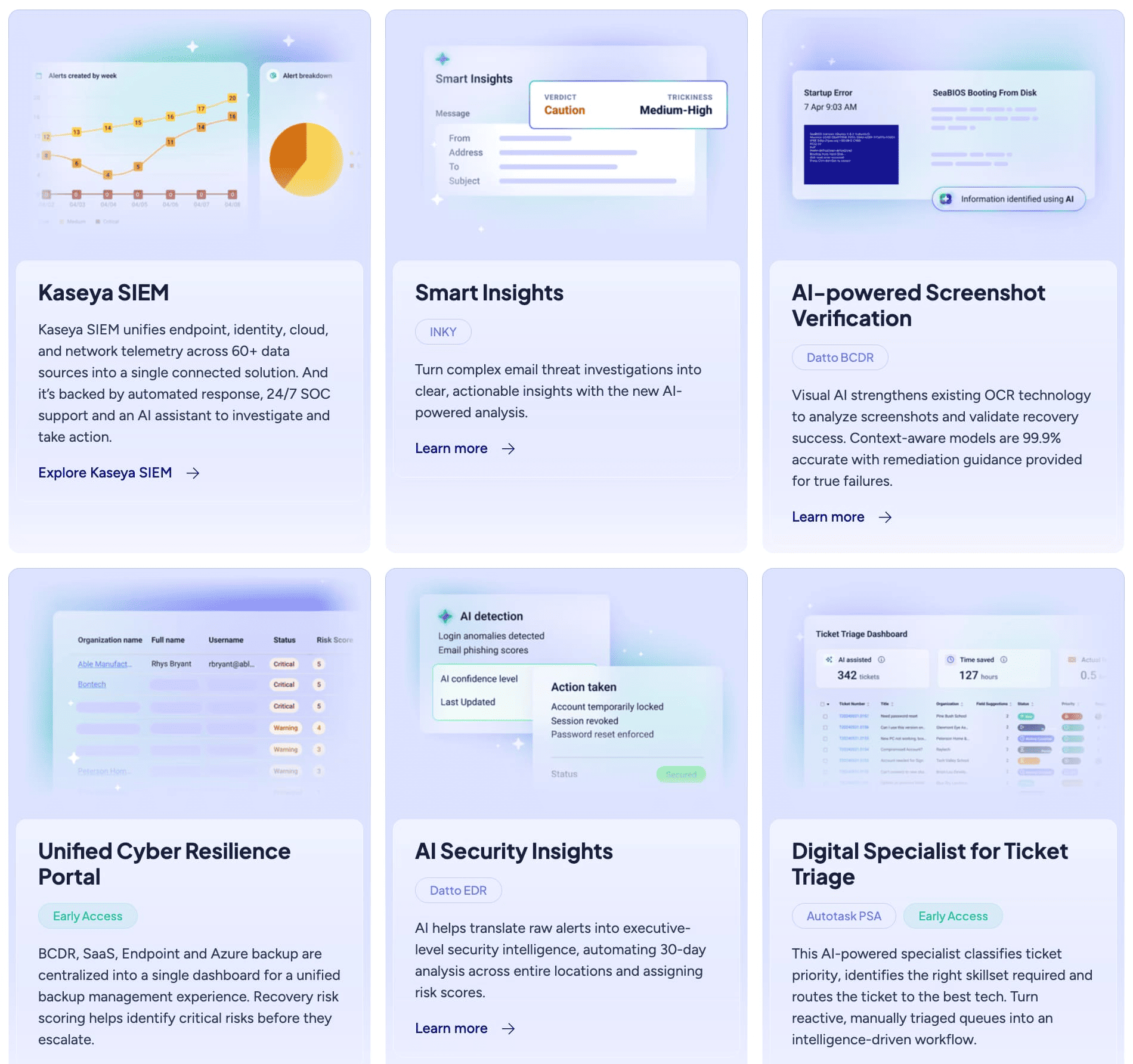
For Kaseya, the biggest update is its Kaseya Intelligence, the AI layer introduced to its platform. Kaseya describes it as combining data from tickets, endpoints, security, and backups and turning it into actions and insights.
Kaseya Intelligence is divided into three categories:
- Digital Specialist: Takes repetitive work, like ticket triage and categorization, off technicians’ workloads.
- Smart Insights: Connects data from Kaseya products and third-party tools and turns them into actionable insights.
- Kaseya Assist: Like Atera’s AI Copilot, it gives personalized answers, recommendations, and scripts to technicians.
Plus, there is Cooper Copilot for building automations from simple descriptions. While useful for ticket routing and technician work, in practice most of Kaseya’s AI stops one step short of resolution.
Kaseya’s own landing page frames most of these features around insights and patterns rather than end-to-end resolution
Comparatively, Robin by Atera works differently. It’s an AI technician that resolves Tier-1 and complex Tier-2 technical incidents end to end by autonomously taking real actions on devices, servers, mainframes, and networks, without needing a technician in the loop. Robin resolves up to 92% of Tier-1 and complex Tier-2 technical incidents.
Here’s how Robin works:
- Diagnose: Robin traces the problem to root cause, on the device, across networks, and in the cloud. It receives requests through Teams, Slack, email, or the Customer Portal, verifies the user, and asks follow-up questions to gather the context it needs.
- Remediate: Robin executes the fix autonomously, with no technician in the loop. It can reset a password, install approved software, or fix a network adapter.
- Verify: Robin confirms the issue is actually resolved before closing anything, and escalates to a technician if it isn’t.
- Close: Robin closes the incident autonomously, updates the ticket with the outcome, and logs every action for compliance. Ticket elimination, not deflection.
If an incident falls outside Robin’s scope or your guardrails, Robin hands it to a technician with full context and a summary of the actions it has taken.
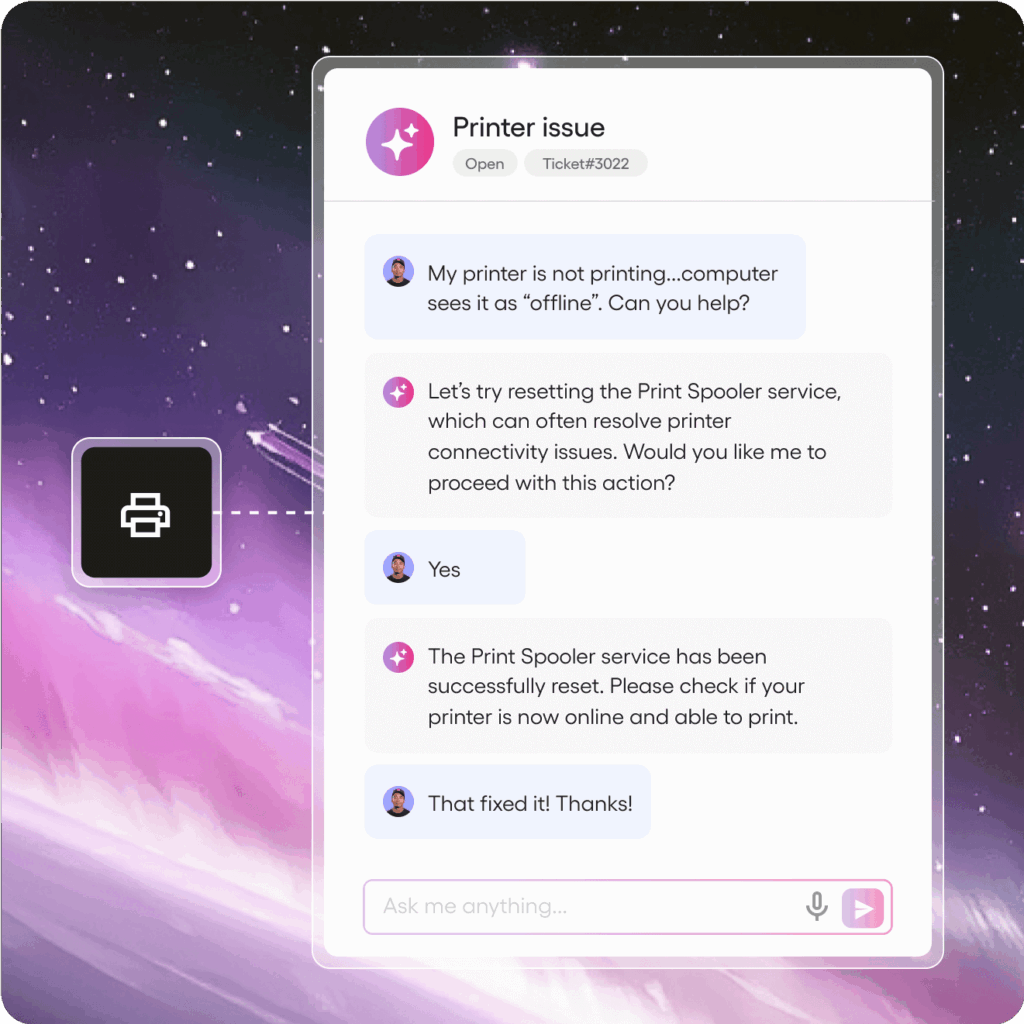
Atera’s Robin at work
For more complex (or plain weird) tasks that require a human technician, Atera’s AI Copilot is available. It’s included on Atera plans at no extra cost, and helps with:
- Getting answers on anything, whether it’s on your device status, network performance, or best practices for resolving IT issues
- Diagnosing, troubleshooting, and resolving device issues locally
- Installing/updating pre-approved software on your end-users’ devices
- Delivering personalized answers from software setup to step-by-step instructions
- Resetting passwords, deploying patches, managing tickets, and handling more complex tasks like remediating vulnerabilities
With Agentic AI at its core, Atera helps enterprises move towards autonomous endpoint management.
G2 named Atera the #1 Agentic AI software in its Summer 2026 report for both Results and Usability.
Tip: For a more in-depth comparison, read the Robin vs. Kaseya Intelligence article.
#3: Interface and usability
Kaseya’s dashboard gives users a wide range of data at a glance, which users appreciate. For Kaseya VSA, this is what the user interface looks like:
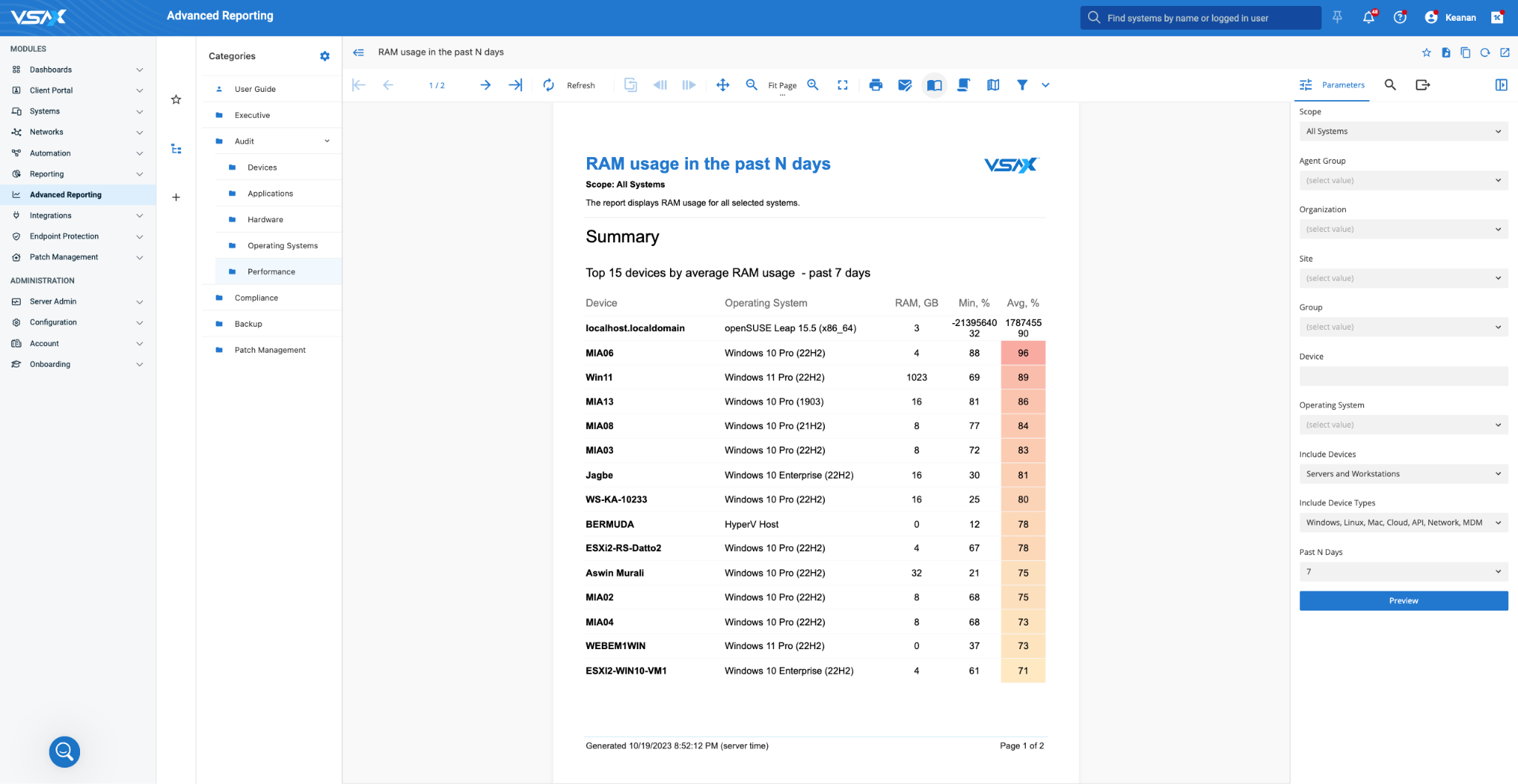
Kaseya VSA dashboard (via G2)
Ease of use is directly linked to how intuitive the interface is, so let’s see how Kaseya users rate the platform’s ease of use on G2.
We not only looked at Kaseya VSA’s ease of use score, but also compared it to its competitors:
Platform | G2’s Ease of Use Score |
1. Atera | 9.2 (1,130+ reviews) |
2. Kaseya VSA | 7.7 (260+ reviews) |
3. Syncro | 8.9 (370+ reviews) |
4. Datto RMM | 8.7 (750+ reviews) |
Compared to the industry average, Kaseya VSA’s 7.7 score is arguably low.
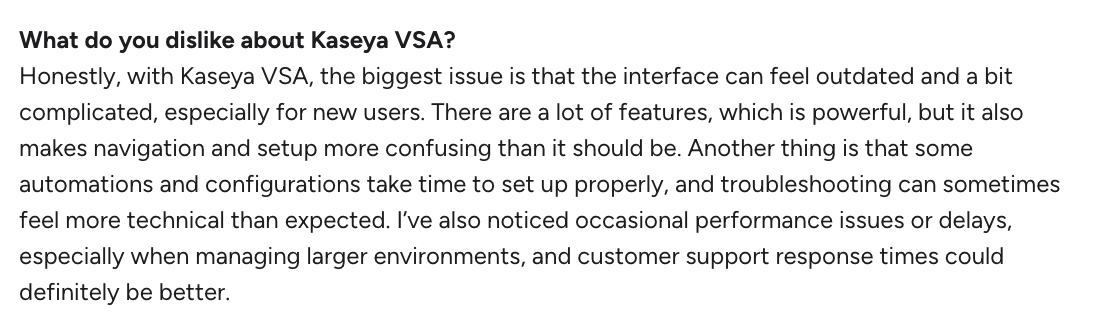
Many users say Kaseya’s interface feels outdated and can be confusing at the beginning. For example, see what Harsh B. said on G2:
#4: Performance and reliability
Kaseya’s offering is broad and generally has a strong reputation for performance. However, some users report performance issues in larger environments.
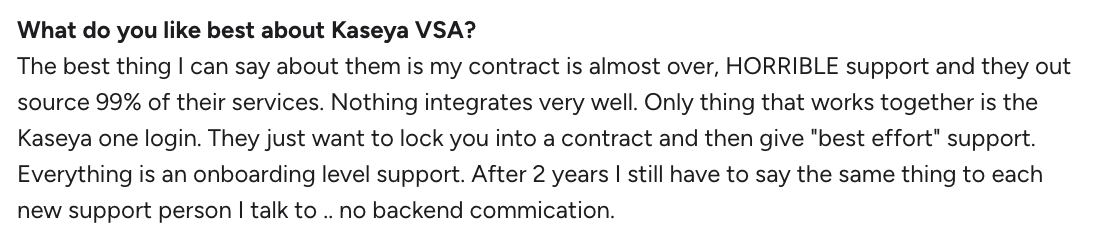
One G2 user said, “I’ve also noticed occasional performance issues or delays, especially when managing larger environments, and customer support response times could definitely be better.”
Plus, some users note that the limited customer support leads to delays in resolving issues, which can affect performance.
One G2 user heavily criticized the support and said:
As you look for reviews of Kaseya and compare Kaseya alternatives,pay close attention to the level of customer support available.
For example, alternatives like Atera offer 24/7 customer support via live chat and email, which means you have help available at all times.
Our responsive customer support is one of the parts that our customers appreciate most. One G2 user said, “When we need them, support is always there.”
#5: Security and compliance
With end-to-end ransomware protection and vulnerability scanning, Kaseya is a major player in the security space. Its security offering includes Backup Appliances, SaaS Alerts, vPenTest, and Kaseya SIEM, launched in April 2026.
At Atera, security is built into the platform, with logging and reporting, real-time monitoring, and integrations with key security platforms.
Atera is GDPR and HIPAA compliant, holds SOC 2 Type 1 and Type 2 reports, and is certified to ISO 27001, ISO 42001, ISO 27017, and ISO 27018. For Robin, configurable guardrails, approval workflows, and full audit trails apply across every certification. Read more about security for our AI agents.
#6: Pricing and plans
Pricing plays a critical role, so it’s important to review Kaseya here.
Kaseya 365 Endpoint is priced like most RMM pricing plans, based on how many endpoints you manage. You need to request a demo from Kaseya to get the pricing. For Kaseya 365 Ops, the pricing is public, starting from $129/month per user, with a one-year term.

For organizations that want to scale without costs growing alongside their device count, per-technician pricing, such as that offered by Atera, may be a smarter option.
All of Atera’s pricing plans allow you to add unlimited devices for a fixed monthly cost, making scaling easier and more predictable.
#7: User feedback and reviews
It’s difficult to understand a platform fully without hearing from its real users. For this reason, we compiled Kaseya reviews from Reddit, G2, and Capterra below.
Overall G2 Kaseya VSA Rating | 4.0 out of 5.0 stars (320+ reviews) |
Overall Capterra Kaseya VSA Rating | 4.1 out of 5.0 stars (205+ reviews) |
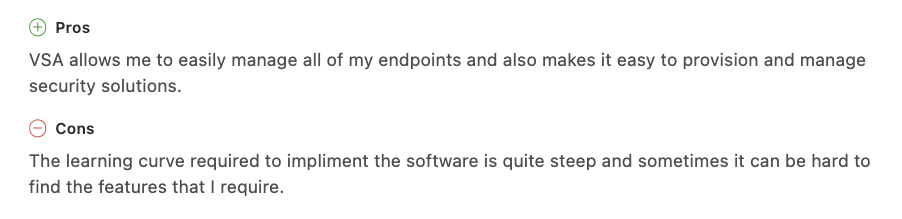
Kaseya pros: What real users like
Let’s start with the pros, aka what users like about Kaseya:
Basic automation is available:
Users like that Kaseya VSA automates routine work like patching.
One G2 user, Robyn L., liked the automation and said, “The efficiency it provides has made a huge difference in my workflow, helping me stay on top of deadlines”
All-in-one product offering:
In recent years, Kaseya has put a lot of effort into improving its Kaseya 365 products, which compete with competitors like Atera.
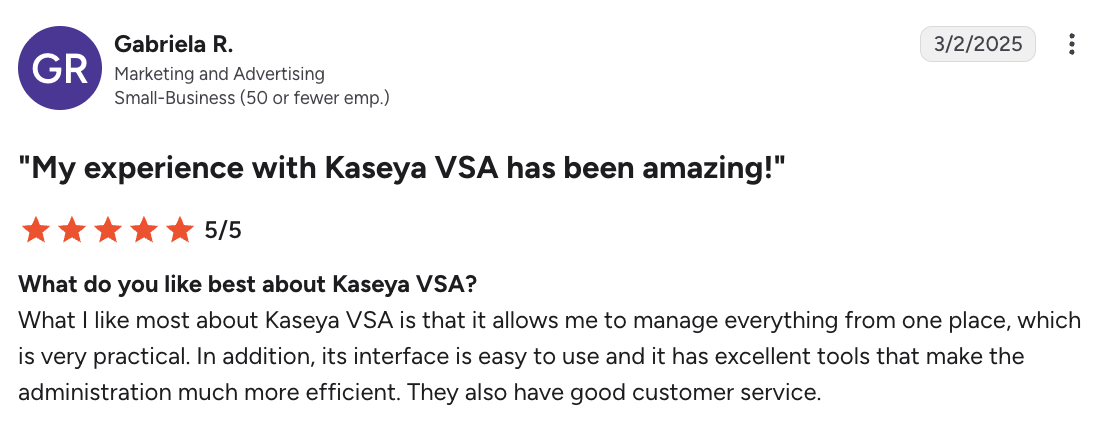
Gabriela R. commented on this and said: “What I like most about Kaseya VSA is that it allows me to manage everything from one place, which is very practical.”
Broad integrations:
As covered above, Kaseya integrates with products across backup and recovery, CRM, email security, and accounting, which suits teams that want to keep their existing add-ons.
Easy to monitor endpoints once the setup process is done:
Users on Capterra say Kaseya’s setup process can be complicated, but once everything is set up, it’s easy to manage multiple endpoints.
Kaseya cons: What real users find limiting
Here’s what users find limiting about Kaseya:
Features are half-baked:
This was a common complaint. Many IT departments and MSP users say that many Kaseya solutions are half-baked.
One G2 user said it directly: “Too many features half-built.”
Users on Reddit have also discussed that development slows down for all new products Kaseya acquires, whether ITGlue, Pulseway, Datto, or others.
At Atera, we take a different approach. We constantly add new (fully functional) features to our platform and improve our AI agents.
Users are a key part of our product development, and you can submit new ideas and vote for existing ones in the Atera Features board.
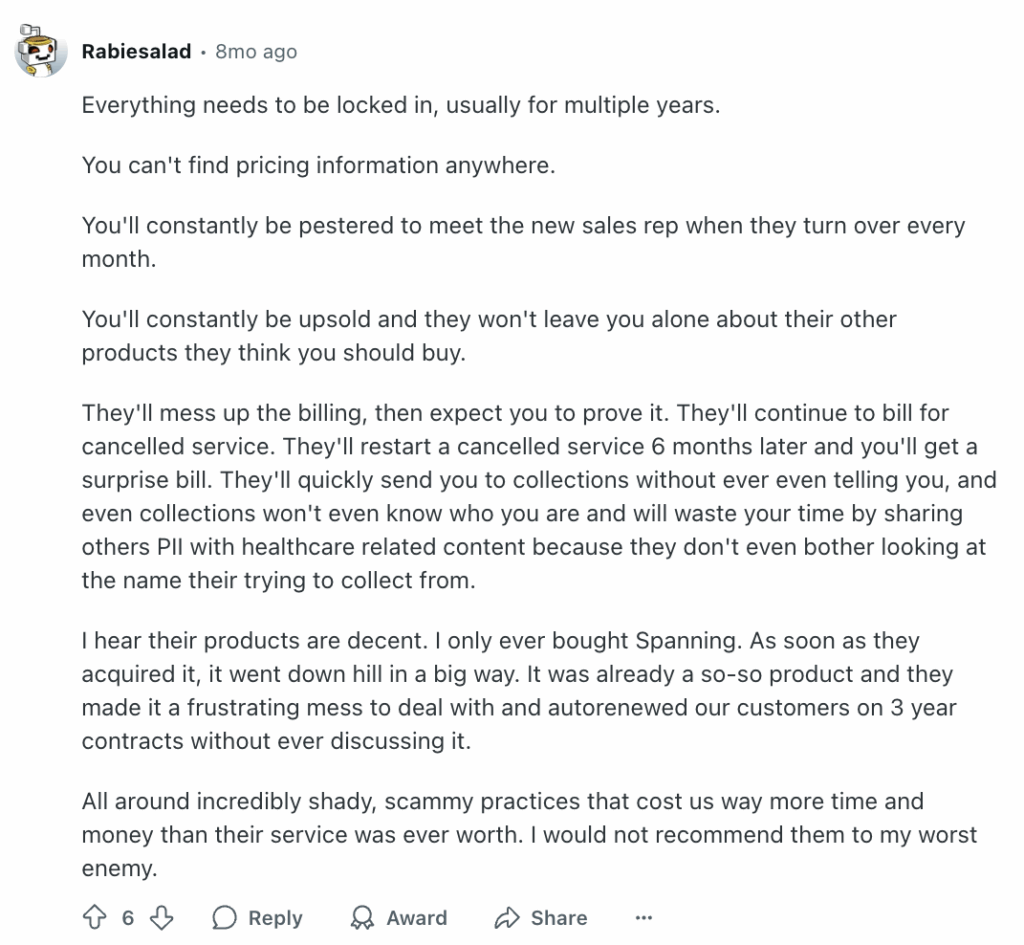
Pricing information isn’t clear, and there’s a push for 3-year contracts:
One G2 user said, “They just want to lock you into a contract and then give “best effort” support.”
This, in fact, is the experience of many Kaseya users. Unfortunately, this issue also extends to other areas of Kaseya’s pricing, such as a lack of transparency, upsells, and pushy salespeople.
This is what another Reddit user said:
Support is slow to respond:
Many reviewers report that Kaseya’s customer support has suffered in recent years, and some say getting a response can take days or even weeks.
One user on G2 commented on this and said, “After 2 years I still have to say the same thing to each new support person I talk to.”
We believe that when you’re facing a problem, help should be available immediately. For this reason, Atera offers 24/7 live chat and email support for all of its users, which means you’ll always have access to help if you need it.
AI is built for technicians, not end users:
Kaseya has recently expanded its AI, but it’s still built mainly to support technicians rather than resolve end users’ issues end to end.
With alternatives like Atera bringing Agentic AI across its entire platform, that gap is a disadvantage for Kaseya.
For many reviewers, the cons outweigh the pros. This also shows in Kaseya VSA’s G2 rating, which is the lowest of the five platforms below:
Platform | Overall G2 Rating |
1. Atera | 4.6 out of 5.0 stars (1,270+ reviews) |
2. Datto RMM | 4.5 out of 5.0 stars (1,150+ reviews) |
3. Syncro | 4.5 out of 5.0 stars (300+ reviews) |
4. ManageEngine | 4.4 out of 5.0 stars (980+ reviews) |
5. Kaseya VSA | 4.0 out of 5.0 stars (300+ reviews) |
Who Kaseya is best for
Kaseya may be a good fit if you:
- Want a broad, single-vendor suite covering RMM, PSA, IT documentation, security, and backup
- Already use Datto, Autotask, or IT Glue and want them under one vendor
- Are comfortable with a longer setup process and long contract terms
Atera may be a better fit if you:
- Want Robin to resolve Tier-1 and complex Tier-2 technical incidents autonomously
- Prefer per-technician pricing with unlimited devices
- Need 24/7 live chat and email support
Is Kaseya worth it for your organization?
Kaseya can offer real value for organizations that want a broad suite, but we believe most organizations can benefit more from Atera.
Atera brings Agentic AI into the core of its platform. Robin resolves up to 92% of Tier-1 and complex Tier-2 technical incidents end to end, meaning your technicians finally have the time to focus on more strategic tasks. While Kaseya can offer great value for organizations, we truly believe that most organizations can benefit more from Atera.
We’re the first IT management platform to incorporate true Agentic AI technology into our platform. Robin resolves up to 92% of Tier-1 and complex Tier-2 technical incidents end to end, meaning your technicians finally have the time to focus on more strategic tasks. Leeds United, for example, reduced its tickets by 35% with Atera.
If you’re interested in how much you could actually save with our AI agents, try our Robin Savings Calculator. Or, get in touch with our sales team today and see how Atera can help your organization!
Frequently Asked Questions
Related Articles
Rev.io Review: A review of its PSA, billing, and CRM tools
Find out Rev.io’s key features, AI, and pricing in this Rev.io review. See what its pros and cons are, what actual users think of it, and what the best alternatives are.
Read now
Microsoft Intune Review: What IT teams really think of it
In this article, we’ll provide an in-depth review of Microsoft Intune, its key features, pricing, pros and cons, and more. Read on to learn more.
Read now
Datto Review: A full look at its RMM, PSA, & backup tools
Explore the pros, cons, pricing, and real user feedback in our detailed Datto review. See when one of Datto’s alternatives is a better fit.
Read now
Pulseway Review: A full look at its IT management features
Discover user feedback, pros and cons, features, and pricing of Pulseway in our detailed review. Find out if it’s the right fit for your team or if another Pulseway alternative suits you better.
Read nowEndless IT possibilities
Boost your productivity with Atera’s intuitive, centralized all-in-one platform